
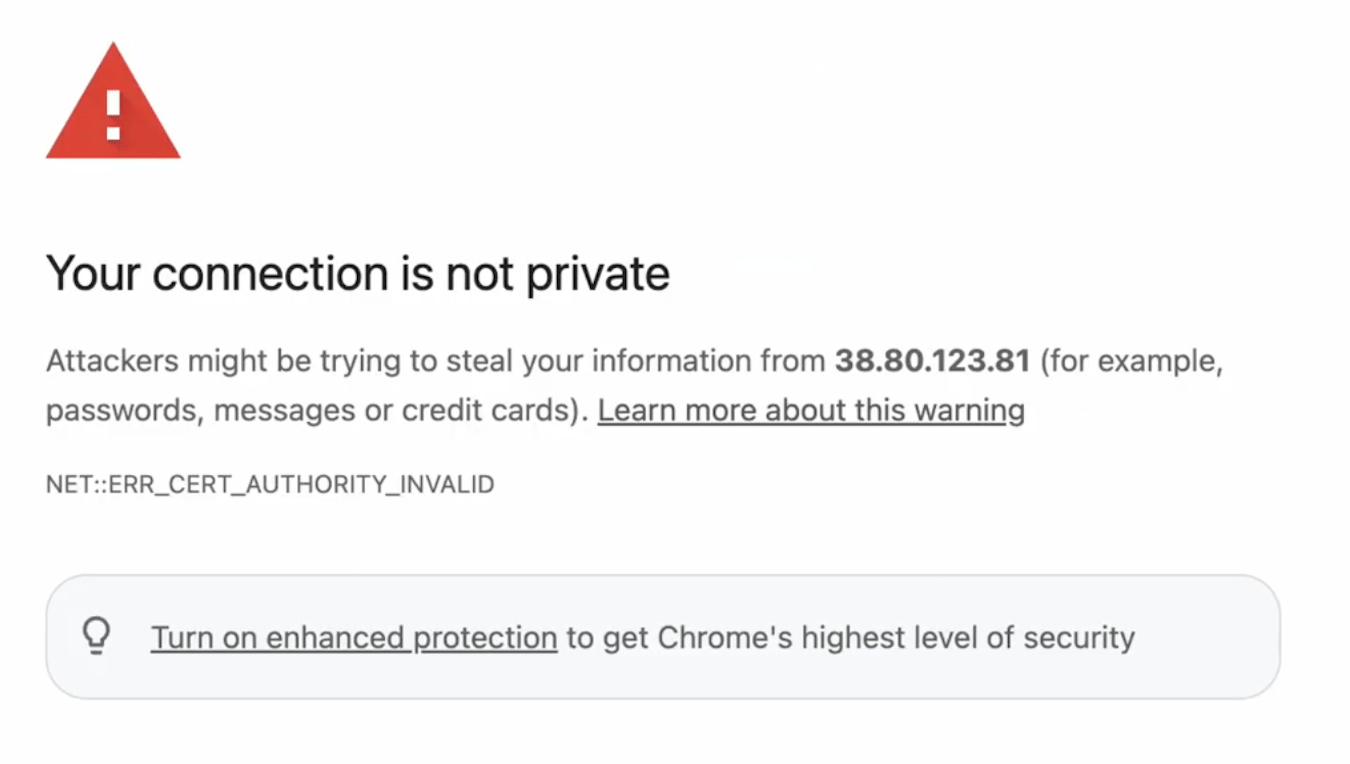
- Your connection is not private (Google Chrome / Microsoft Edge)
- Warning: Potential Security Risk Ahead (Mozilla Firefox)
- This Connection Is Not Private (Safari)
Why Does This Warning Appear?
HexGrid.cloud uses HTTPS certificates configured for Private IP-based deployments. Unlike certificates issued by publicly trusted Certificate Authorities (CAs), these certificates may not be automatically recognized as trusted by your browser. As a result, your browser displays a security warning because it cannot independently verify the server’s identity. Important: This warning does not necessarily mean your ComfyUI deployment is compromised. The connection can still use HTTPS encryption, but the browser cannot automatically verify the certificate’s authenticity.How to Access Your Private ComfyUI Workspace
Before proceeding, confirm that the URL exactly matches the deployment URL shown in your HexGrid.cloud dashboard and that you’re accessing your own private deployment.Step 1: Open Your ComfyUI URL
Copy the HTTPS URL provided for your private ComfyUI deployment and open it in your browser. You may see a privacy or certificate warning.Step 2: View Advanced Options
On the warning page:- Click Advanced (Chrome / Edge) or Advanced… (Firefox).
- Review the certificate warning.
- If this is your expected HexGrid.cloud private deployment and you’ve verified its URL, select:
- Proceed to [IP address] (unsafe) — Chrome / Edge
- Accept the Risk and Continue — Firefox
- Show Details → visit this website — Safari, where available
Step 3: Confirm and Continue
Your browser may request an additional confirmation before allowing access.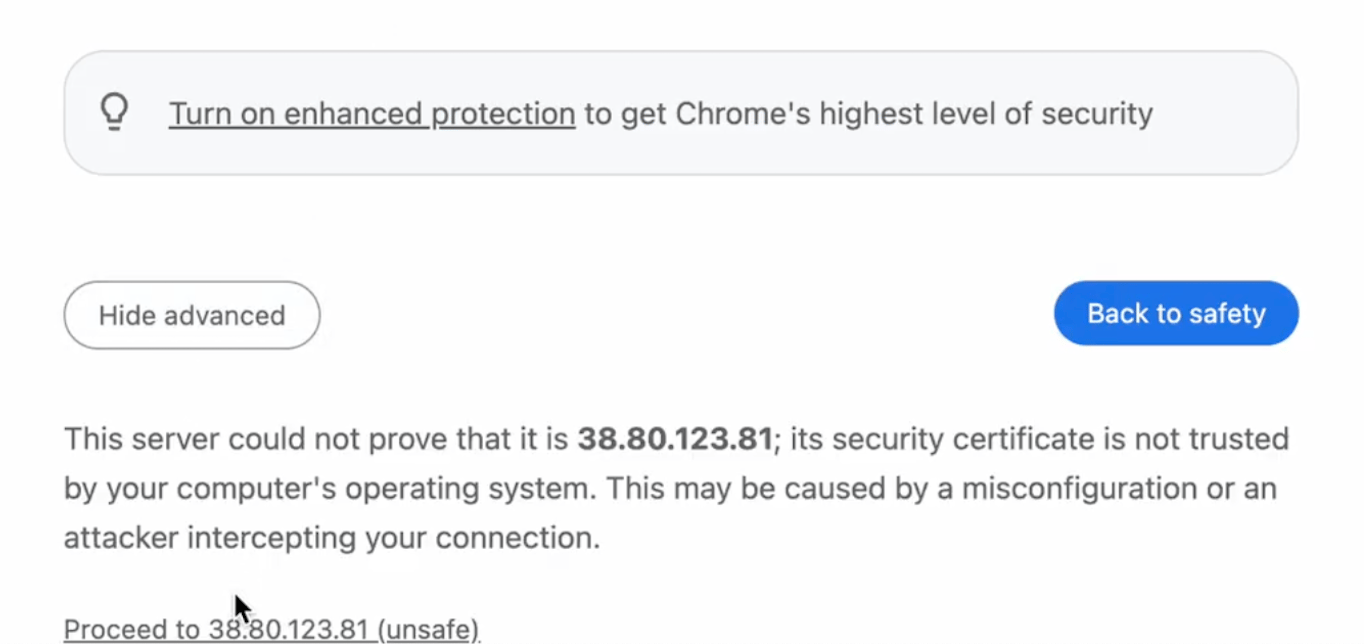
Is It Safe to Continue?
The certificate warning is an expected limitation of the certificate configuration used for certain private IP-based deployments. However, accepting a certificate exception bypasses the browser’s normal identity verification. You should only proceed when:- The URL exactly matches your deployment URL in the HexGrid.cloud dashboard.
- You intentionally launched this private deployment.
- The certificate warning is expected for your deployment.
- You have no reason to suspect the URL or certificate has been changed unexpectedly.
Will I See This Warning Every Time?
Not necessarily. Some browsers remember certificate exceptions, allowing you to revisit the same workspace without repeating the confirmation immediately. However, the warning may appear again if:- You use a different browser or device.
- Your browser clears or expires the certificate exception.
- Your deployment’s certificate or IP address changes.
- Your browser’s security settings require a new confirmation.
Need Help?
If you’re unable to access your private ComfyUI deployment, or your browser does not allow you to proceed, contact HexGrid.cloud Support. We’re here to help you get back to creating.HexGrid.cloud — Private Cloud for AI Creators.